Photographs as artwork / A practical guide
Can you turn a phone photo into wall art?
Yes. A photograph does not have to come from a professional camera to be worth displaying. What matters is the picture you have: a recognisable subject, useful detail, a crop that works and a moment you want to keep looking at.
There are two different decisions here. You can print the photograph itself, or use it as the starting point for an artistic interpretation. The second changes how the image is drawn, coloured and structured. It does not remove the need to choose a good source.
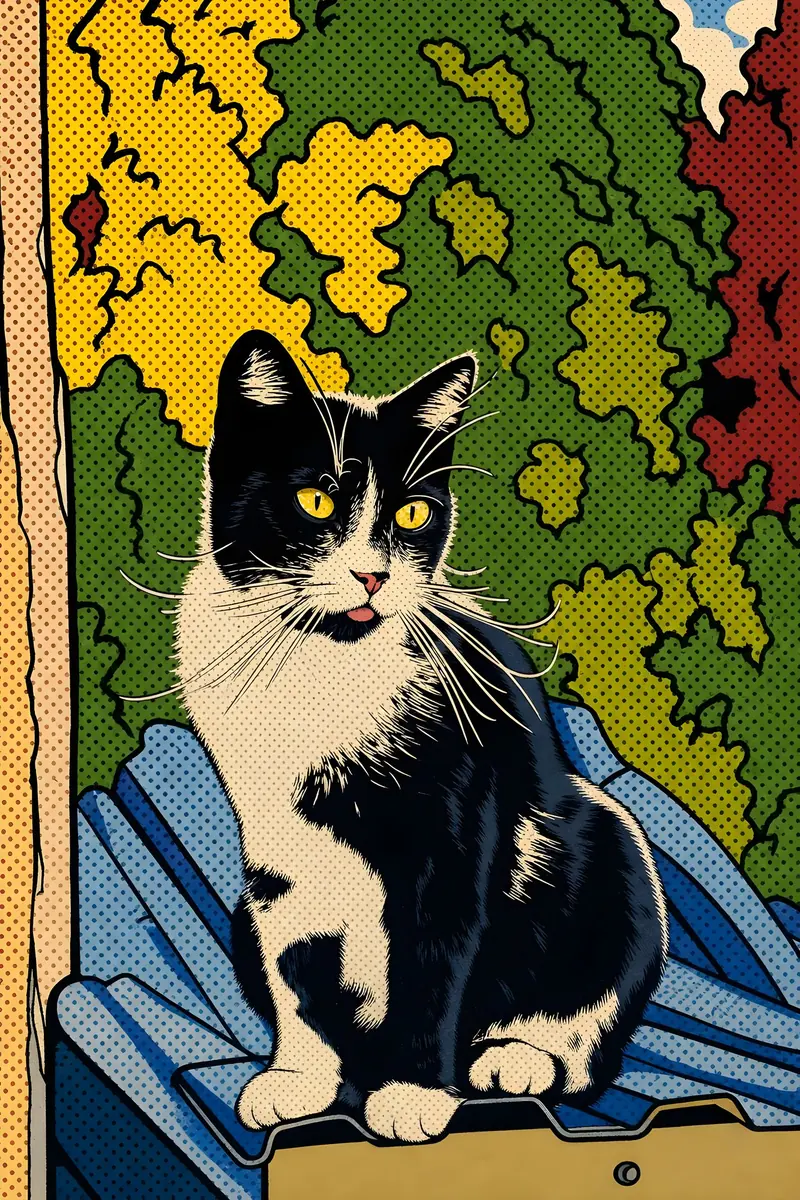
Pop Art
Hard edges, expressive colour blocks and a playful poster-like finish.
01 / The guide
First, decide what you want to keep
Before choosing a movement, name the part of the picture that matters. It might be someone's expression, the markings around your cat's eyes or the shape of a place you know. That gives you something concrete to check when the artwork arrives.
You do not have to put your own face on the wall. A pet, a holiday view or a small everyday scene can be equally personal. Start with something you recognise and enjoy, rather than a photograph you think looks impressive to someone else.
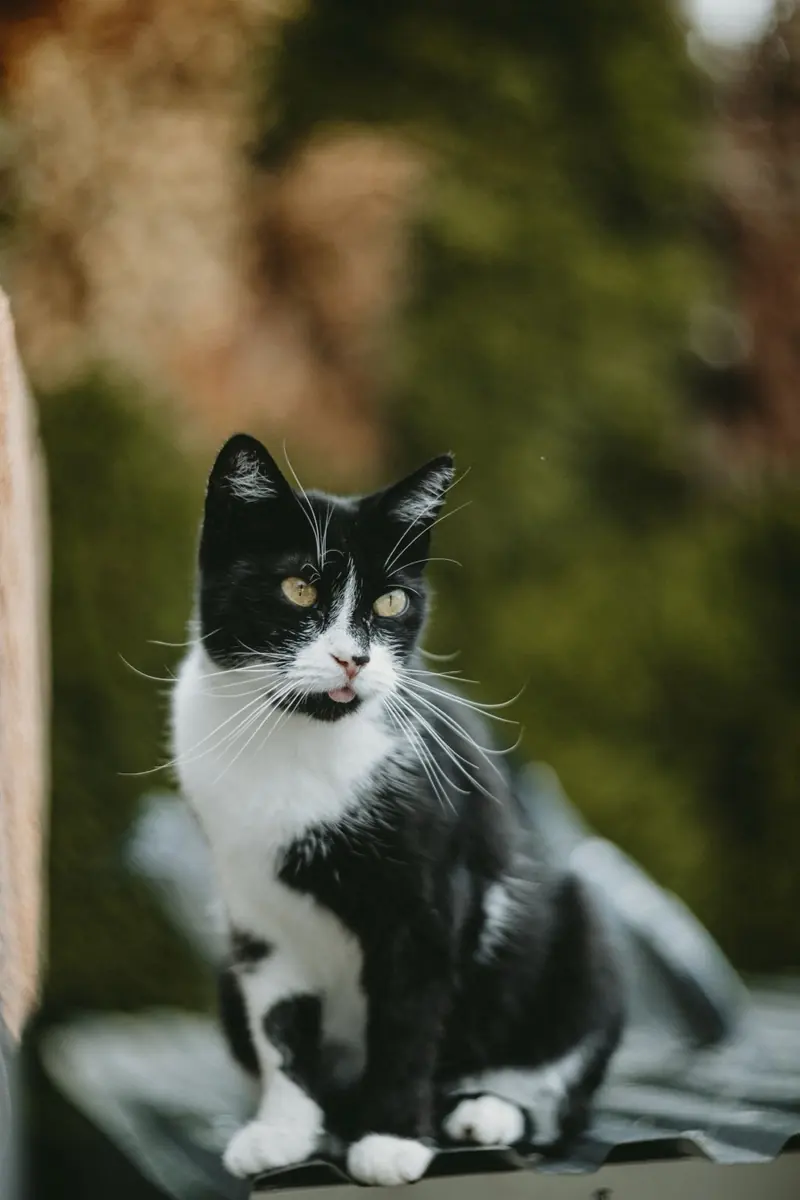
Original photograph
One original photograph, used as the source for the cat transformations below.
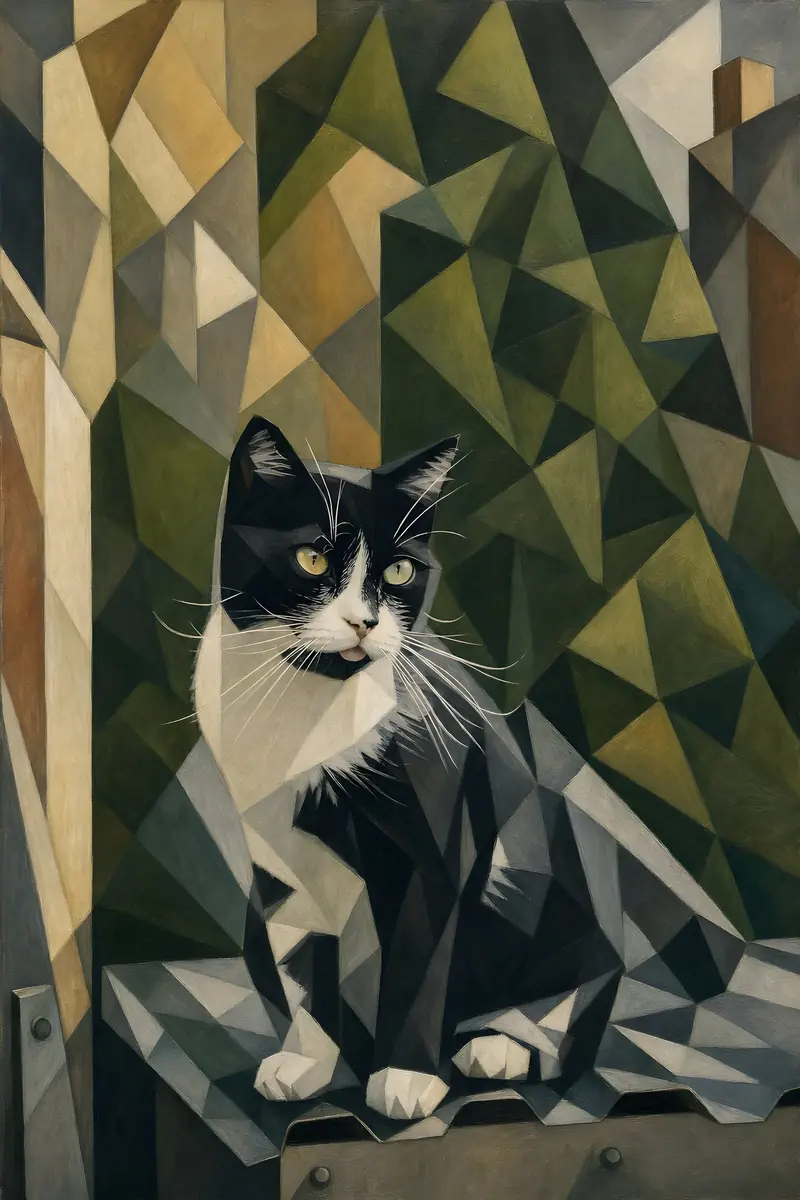
Art Deco
A geometric composition with restrained tones and a graphic architectural feel.
In this supplied example, the cat's upright ears, white muzzle and alert pose give us recognisable features to compare. The artwork changes the surrounding shapes and colours. Camera type is not verified for the examples in this guide.
02 / The guide
Four checks before you upload
1. Look at the important detail
Open the original photograph and look closely at the part you care about. Are the eyes in focus? Can you distinguish the pet's markings? Is a face hidden behind hair or another person? A pleasing small thumbnail can conceal blur that becomes obvious when you enlarge it.
A movement may simplify or reinterpret detail. That is different from recovering a precise expression that was never clearly recorded. If the subject's face matters, choose the clearest version you have.
2. Check the light
Look for separation between the subject and its surroundings. In a window portrait, light may define the face against a darker jacket. That gives an interpretation clearer forms to work with. A deeply shadowed face needs more judgement than a well-lit one, even if both files contain the same number of pixels.
Compare important features as well as the overall mood. An Art Deco treatment, for example, changes the shape language; it is an interpretation, not an exact photographic duplicate.
3. Try the crop before choosing a size
A closer crop can bring the subject forward, but it also removes image detail. A wider view preserves more setting; a tighter crop gives the face more space. Neither is automatically better. Keep ears, hands and other important details inside the visible picture area, and check the final proportions before printing.
A 4,000 × 3,000-pixel image contains 12 million pixels. Keeping only its central 2,000 × 1,500 pixels leaves 3 million: a quarter of the original pixel count. Cropping is a creative choice with a practical cost.
4. Find the best available file
Use the original image when you have it. A screenshot or a copy downloaded from a social post may have fewer pixels or more compression. Check the actual file rather than assuming every copy of the same photograph has the same quality.
Upscaling can make a file larger and may improve its appearance, but extra pixels are not proof that missing detail has been recovered accurately. For an older photograph that needs repair rather than a new artistic treatment, explore Preserve.
03 / The guide
See what a movement actually changes
The same cat photograph can lead to very different pictures. Compare these three supplied interpretations rather than assuming one movement will always suit every pet.
Art Deco
A geometric composition with restrained tones and a graphic architectural feel.
Pop Art
Hard edges, expressive colour blocks and a playful poster-like finish.
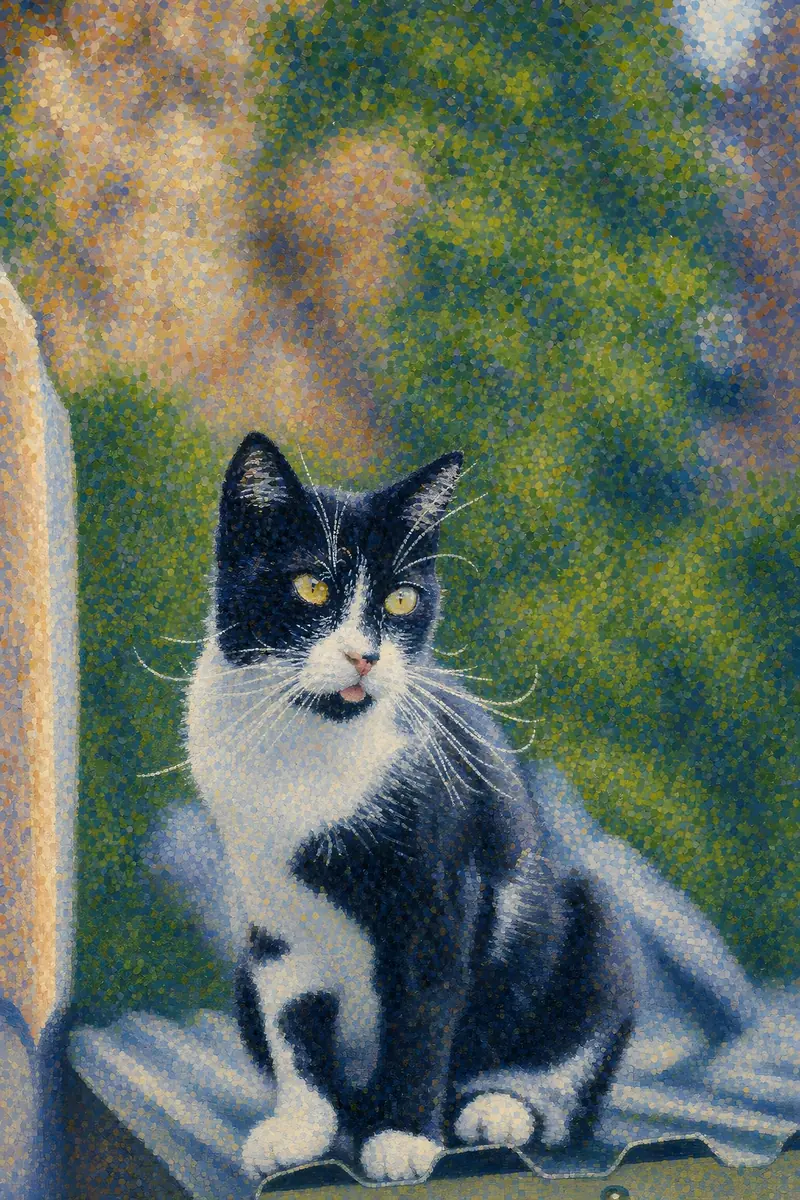
Pointillism
A dense pattern of small marks changes how the cat and background read.
Art Deco uses angular forms and structured patterns. Pop Art uses strong outlines and contrasting blocks of colour. Pointillism uses small marks to change the texture of the cat and background.
Look beyond which one catches your attention first. Which would you still want to see every day? Does it keep the character you chose the photograph for? If the interpretation changes something important, try another version or another source photo.
For more comparisons, see our art movement examples and before-and-after gallery.
04 / The guide
Can the finished image be printed at the size you want?
Photo selection and print preparation are related, but they are not the same check. Inspect the final artwork, its crop and its intended print size. The source photograph's dimensions alone do not describe the quality of a newly generated artwork.
For reference, a 12 × 18-inch image at 300 pixels per inch requires 3,600 × 5,400 pixels before allowances such as bleed. This is a calculation, not a promise that every image at that size will look equally good, or that a smaller image cannot be suitable.
Prodigi's image guidance identifies 300 dpi as ideal for fine-art and framed prints and notes that some canvas products need less. Follow the requirements of the actual product. Paper, canvas, crop and viewing conditions all affect how you assess the result.
Framed images or rooms shown as digital mock-ups are presentation examples, not photographed product samples, surface-texture tests or guarantees of colour matching.
05 / Useful to know
Questions worth answering before you order
Do I need a professional photograph?
No. Choose the original with the clearest useful detail and the composition you prefer. Professional equipment cannot make an unwanted expression into the moment you wanted.
Will the artwork look exactly like the photo?
An artistic interpretation can change features, shapes and colour. Compare the face, markings and other important details in the preview before approving it.
Is this painted by hand?
These examples are digitally generated interpretations inspired by art movements. A printed edition is a physical reproduction of the approved digital artwork, not a hand-painted original.
Can I try more than one movement?
Source Editions lets you explore the available movements and review the result before choosing an edition. Check current options and any charges in the creator.
06 / The guide
Start with one photograph
Find a photograph you value. Check the detail, light, crop and file. Then compare an interpretation with the things you wanted to preserve in the first place.
Create your edition or see how photo-to-art works.
Reference: Prodigi image-file and print-resolution guidance. The visual comparisons are based on approved Source Editions example images. They are illustrative digital comparisons, not controlled print-quality tests.